Offline sudoku for travel, commuting and time away
A puzzle app should work on a plane, in a tunnel or on a quiet holiday as well as it does at home. Here is how to check that, and how Hush is built to work fully offline.
A sudoku app is a natural travel companion, but only if it works when the connection does not. Some apps are fine on a train and then stall in a tunnel, or ask for a connection at the wrong moment. This page explains what “offline” means in practice, what to check before you travel, and how Hush handles it.
What “offline” means in a puzzle app
“Offline” can mean different things. An app may let you play a puzzle with no connection, yet still show ads, need a connection for a feature, or ask you to sign in. A puzzle can be fine offline while something around it is not.
Connections drop on planes, in tunnels and in some holiday spots, so an app that depends on a connection can fail just when you need it.
The simplest test is to try it. Before a trip, install the app, switch on airplane mode and play a few puzzles. Then check the features you care about, such as settings, purchases and any daily feature. This takes a few minutes and tells you more than a listing does.
A checklist for offline play
Use these questions before you rely on any app for a journey.
- Puzzles on the device. Does the app keep its puzzles inside the app, or fetch them as you go?
- Accounts. Does it ask you to sign in before you can play? Every sign-in is one more thing to set up before a flight.
- Ads and network features. Ads and other features may need a connection. Test them in airplane mode.
- Purchases. Buying anything needs a connection, so do it before you leave.
- Data. Check the privacy label for what the app collects.
An app that fails several of these checks may still be fine for a short bus ride, but it is a poor choice for a long flight.
How Hush works offline
Hush is fully offline. All puzzles ship with the app, so once it is installed you can play without a connection.
- No account. There is no account, no sign-up and no email.
- No data collected. Hush collects no data and has no tracking or analytics.
- One network use. The only time Hush uses the network is for Apple’s purchase system, when you buy or restore Hush Plus.
- One daily puzzle. The daily puzzle is the same for everyone and new every day, and it is always free. Hush picks it from the date on your device, so it appears even in airplane mode – no download needed. An optional local daily reminder is available.
The free version covers Easy and Medium puzzles without limits, so the core game is ready for a long journey. For Hard and Expert, the first 10 solved puzzles are free, and Hush Plus unlocks the rest.
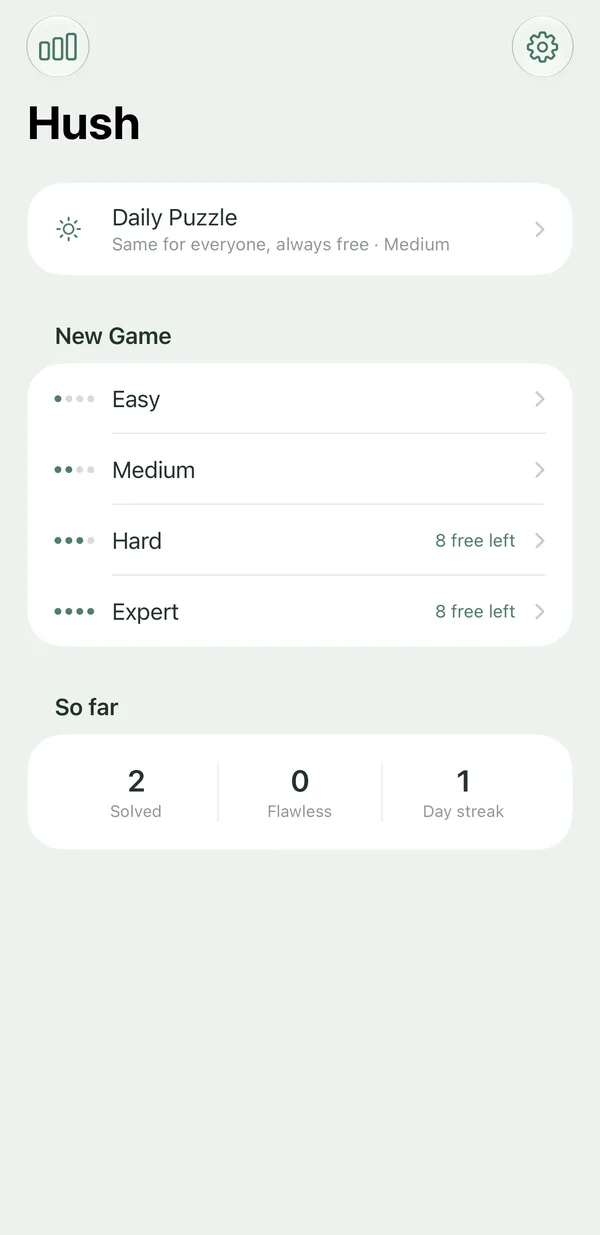
Reminders and statistics work offline too
The optional daily reminder is scheduled on your device, not sent from a server: one quiet notification a day, and only if today’s puzzle is still open. Your statistics – solved games, flawless solves, best and average times and your day streak – are also stored locally, so nothing is lost when you are out of signal.
Travel tips: flights, trains and holidays
On a flight
- Install before you leave. The App Store download needs a connection, so get Hush while you still have one.
- Switch to airplane mode. Hush does not need the network to play.
- Use an iPad if you have one. The iPad works in all orientations, so you can turn it to suit a tray table or a small seat back.
- Pause and come back later. The game is always saved, so you can stop at any time and pick up where you left off.
On a train or commute
- Open the iPhone Duo. When it is opened, the board sits on the left and a large number pad sits on the right. It is compact when closed, so it fits a pocket.
- Use a keyboard if you have one. Hush has full hardware keyboard support.
- Switch apps without penalty. The timer pauses when you leave the app, so a quick check of messages does not count against your time.
On holiday
- Buy before you go. Buying or restoring Hush Plus needs a connection, so do it at home before you leave.
- Keep the free levels in mind. Easy and Medium puzzles are unlimited and free, and the first 10 solved Hard or Expert puzzles are free too. A relaxed holiday may not need anything more.
Offline options compared
| Hush | Sudoku.com | Good Sudoku | Brainium Sudoku (⋆Sudoku) | Sudoku – Classic Brain Game (PeopleFun) | |
|---|---|---|---|---|---|
| Download | Free – Easy, Medium and a daily puzzle, unlimited | Free | Free | Free | Free |
| Ads | None, in any version | Yes, in the free version | App Store privacy label lists data used for third-party advertising | Yes – listing says “Contains Advertising” | Yes – listing says “Contains Advertising” |
| Paid option | Hush Plus, one-time $4.99 (Hard and Expert unlimited) | “No Ads” in-app purchase, $14.99 | “Full Game Unlock” in-app purchase (about $4 at launch) | “Remove Ads” in-app purchase, $11.99 (US) | “Ads Free Subscription”, $2.99 (billing period not shown on listing) |
| Subscription | No | No subscription listed | No subscription listed | No subscription listed | Yes, for ad-free play |
| Platforms | iPhone, iPhone Duo, iPad (iOS 26+) | iPhone, iPad, Android | iPhone, iPad, Apple silicon Mac, Vision Pro | iPhone, iPad, Android | iPhone, iPad |
Competitor details from public App Store listings and price databases, checked November 2026. Prices vary by region and can change. Sources: App Pricing Lab – Sudoku.com in-app purchases; App Store – Good Sudoku by Zach Gage; TapSmart – Good Sudoku review; App Pricing Lab – ⋆Sudoku in-app purchases; App Store – ⋆Sudoku listing and reviews; App Store – ▻Sudoku – Classic Brain Game; App Pricing Lab – PeopleFun Sudoku.
Listings do not always say how an app behaves offline. Run the airplane mode test on any app you are considering before you travel. The comparison hub has side-by-side guides for each app.
When Hush is not the right choice
- You need another device. Hush is for iPhone, iPhone Duo and iPad, and requires iOS 26 or later. There is no Android, Mac or web version. Good Sudoku runs on iPhone, iPad, Apple-silicon Macs and Vision Pro, so the Good Sudoku guide may be more useful if you use those.
- You want social features. Hush has no leaderboards, events, trophies or multiplayer, and one daily puzzle.
- You want a different puzzle type. Hush is classic 9×9 sudoku only.
Related reading
- The sudoku tips for beginners are a good starting point for a new player.
- The how to solve sudoku guide explains the rules and the first techniques you need.
- The sudoku without ads guide explains why Hush has no interruptions on a train or plane.
- The expert sudoku guide is useful for a long flight when you want harder puzzles.
- The Learn hub covers the techniques behind each difficulty level.
Frequently asked questions
What does offline sudoku mean?
Offline sudoku is a puzzle you can play with no internet connection. In a fully offline app, the puzzles are stored in the app itself. Hush works that way, and its only network use is Apple's purchase system.
Does Hush work in airplane mode?
Yes. Hush is fully offline, so you can play in airplane mode. A connection is only needed to buy or restore Hush Plus, which you can do before you travel.
Do I need an account to play Hush offline?
No. Hush has no account, no sign-up and no email, so there is nothing to log in to before a trip.
Which devices suit sudoku on a plane or train?
Hush runs on iPhone, iPhone Duo and iPad. The iPad works in all orientations, and an opened iPhone Duo shows the board on the left and a large number pad on the right. Pick the device you already carry.
Does Hush collect data when I play offline?
No. Hush collects no data, uses no tracking and has no analytics. Its App Store privacy label reads Data Not Collected.