The calm Sudoku.com alternative
Sudoku.com is one of the best-known sudoku apps. But if the ads, the mistake limit or the easy “Expert” puzzles have worn you down, here is what switching to Hush changes.
Sudoku.com by Easybrain is a polished, free app with daily challenges and events. Many players enjoy it, and for them it may be exactly right. This page is for the other group: players who still love sudoku but have started to dread opening the app.
Why people look for a Sudoku.com alternative
When players describe why they are leaving, the same few reasons come up again and again.
Ads between puzzles. The free version of Sudoku.com is ad-supported, so ads are part of the free experience. If you solve several puzzles in a row, those interruptions add up – and they land exactly when you want a quiet moment.
Paying to remove ads. Sudoku.com offers a “No Ads” in-app purchase, listed at $14.99 in the US App Store at the time of writing. Whether that is worth it depends on how long you plan to play.
The three-mistake limit. By default, a game ends after three mistakes. Some players like the pressure; others find it turns a relaxing puzzle into a test.
“Expert” that doesn’t feel expert. Difficulty labels are not a standard – an app’s “Expert” is whatever that app decides it is. If you search for puzzles harder than Sudoku.com, you are probably in this group.
Why “Expert” means different things in different apps
There is no official scale for sudoku difficulty. Many apps decide a level mostly by how many numbers are given at the start – fewer givens, higher label. But a puzzle with few givens can still fall apart with simple singles, while a puzzle with more givens can demand an X-Wing.
What really makes a puzzle hard is the technique you need to make progress. That is why Hush defines each level by the techniques it requires, and why its Expert puzzles can feel very different from an Expert level elsewhere. Our guide to expert sudoku explains the full ladder.
What Hush does differently
Hush was designed around the moments that make people leave other apps.
- No ads, in any version. Not before a puzzle, not during, not after. The free levels are ad-free too – read more about why Hush has no ads.
- No mistake limit. A wrong entry never ends the game. You decide when to undo, check a hint or keep going.
- Difficulty by technique. Easy needs only singles. Medium adds locked candidates and pairs. Hard adds triples, naked quads and the X-Wing. Expert adds the Swordfish, XY-Wing and XYZ-Wing. Every puzzle has exactly one solution and never requires guessing.
- One small purchase instead of a subscription. Easy, Medium and the daily puzzle are free forever. Hush Plus costs $4.99 once and unlocks unlimited Hard and Expert, plus all colour moods. See how pricing works.
- Fully offline and private. All puzzles ship with the app. There is no account and no data collection – play anywhere.
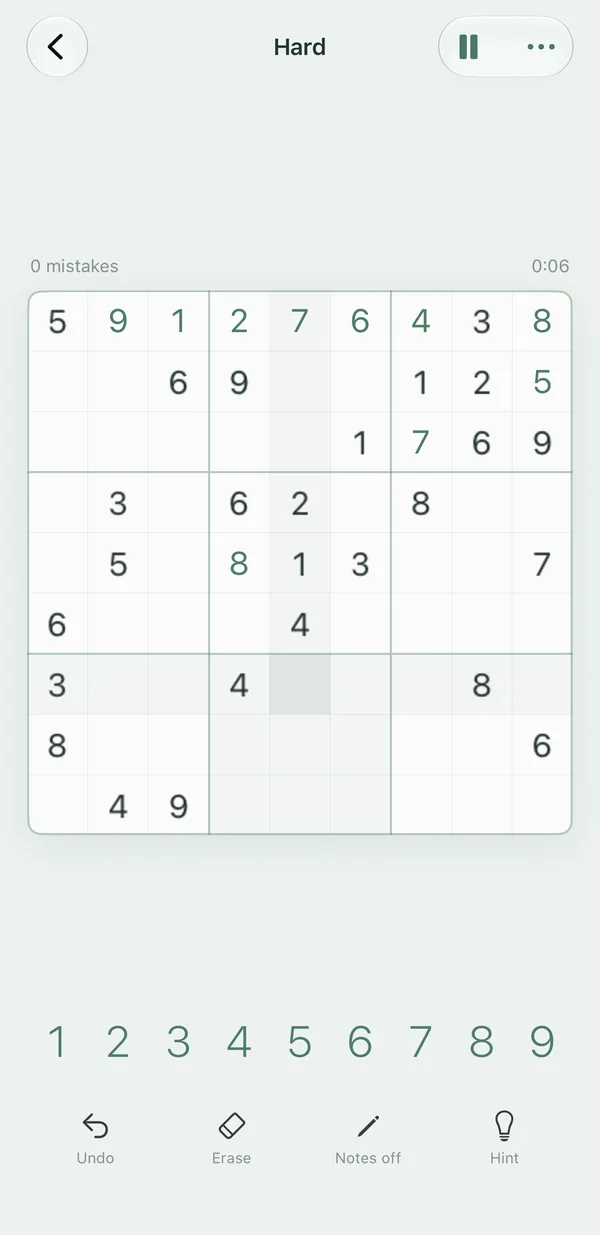
Hush vs Sudoku.com at a glance
| Hush | Sudoku.com | |
|---|---|---|
| Download | Free – Easy, Medium and a daily puzzle, unlimited | Free |
| Ads | None, in any version | Yes, in the free version |
| Paid option | Hush Plus, one-time $4.99 (Hard and Expert unlimited) | “No Ads” in-app purchase, $14.99 |
| Subscription | No | No subscription listed |
| Platforms | iPhone, iPhone Duo, iPad (iOS 26+) | iPhone, iPad, Android |
Competitor details from public App Store listings and price databases, checked November 2026. Prices vary by region and can change. Sources: App Pricing Lab – Sudoku.com in-app purchases.
For a deeper, feature-by-feature look, read Hush vs Sudoku.com.
What you might miss
An honest switch means knowing what you give up. Sudoku.com has things Hush deliberately leaves out:
- Events and daily challenges. Sudoku.com runs events and daily challenges. Hush has one daily puzzle that is the same for everyone, and no leaderboards or badges.
- Android. Sudoku.com runs on Android as well as iPhone and iPad. Hush is for iPhone, iPhone Duo and iPad only.
- Puzzle variants. Hush is classic 9×9 sudoku only. If you mainly play Killer Sudoku, Hush is not a replacement.
If those matter most to you, staying with Sudoku.com and buying the ad removal may be the better choice.
Who should switch
Hush is a good fit if you:
- want to solve puzzles without interruptions and without paying to remove ads,
- would rather keep playing after a mistake than restart,
- want Hard and Expert to genuinely require harder techniques – and want to learn those techniques step by step,
- play on an iPhone, an iPhone Duo or an iPad.
How to switch in two minutes
- Install Hush from the App Store. No account or sign-up is needed.
- Start with Medium to get a feel for the board, the notes and the calm feedback.
- Your first 10 solved Hard or Expert puzzles are free. If you like them, Hush Plus unlocks them without limits.
- Once you are happy, delete the old app – or keep it for events. Hush doesn’t mind.
Frequently asked questions
Is there a Sudoku.com alternative without ads?
Yes. Hush has no ads in any version – not in the free levels and not after you buy Hush Plus. Easy, Medium and the daily puzzle are free without limits.
How much does it cost to remove ads in Sudoku.com compared to Hush?
At the time of writing, Sudoku.com lists a “No Ads” in-app purchase for $14.99 in the US App Store. Hush never shows ads; its optional Hush Plus purchase costs $4.99 once and unlocks unlimited Hard and Expert puzzles.
Is Hush harder than Sudoku.com?
Hush rates difficulty by the techniques a puzzle needs. Its Expert level needs at least one of Swordfish, XY-Wing or XYZ-Wing. Every puzzle still has exactly one solution and never needs guessing.
Does Hush end the game after three mistakes like Sudoku.com?
No. Hush has no mistake limit. You can keep going, use undo, or turn to a hint whenever you like.
Can I move my Sudoku.com progress to Hush?
No – sudoku apps don’t share progress with each other. Hush starts fresh, and because all puzzles ship with the app, your new progress stays on your device.